These days, we all think AI is a better search engine.
You ask it a question, it gives you an answer. You copy, paste, and move on.
Sure it’s useful…but I tell you, it’s still exhausting!
You know why? Because you’re still doing all the work. Clicking between tools, copying information, pasting it somewhere else, setting reminders, following up. You’re using AI as a step in your process. But the process is still yours to manage.
Agentic AI flips that.
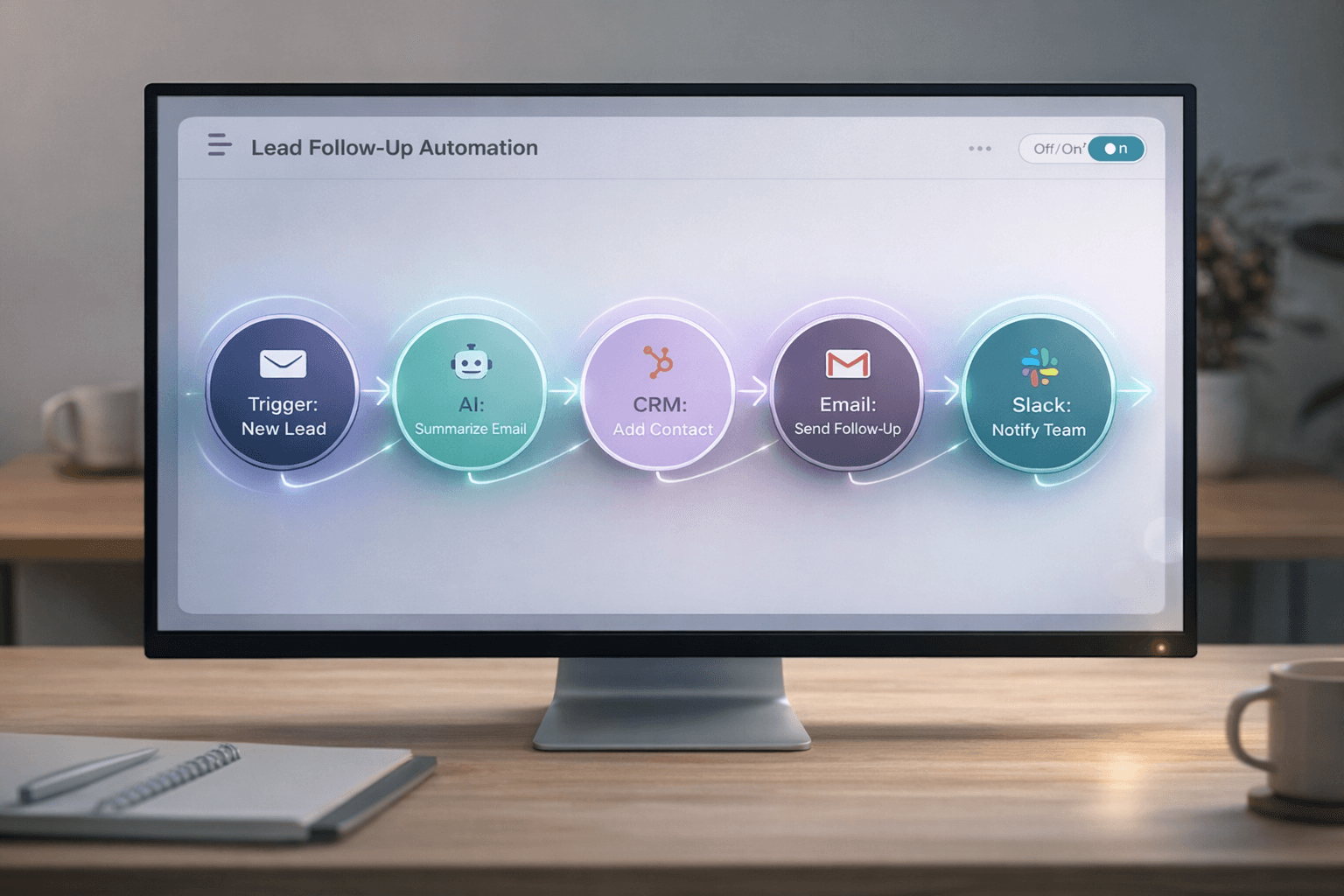
Instead of AI helping you complete one step, agentic AI completes the entire workflow.
And if you think that sounds complicated or futuristic, you’re probably already using a version of it without realizing it.
The Simplest Example You’re Already Using
Let’s say you used to check your email every morning for a specific type of message. Maybe it’s a weekly report. Or a client invoice.
You’d open your inbox, scan for it, and if it was there, you’d do something with it. Forward it to your accountant. Add it to a spreadsheet. Or flag it for follow-up.
Now, you’ve probably set up a filter or automation that does this for you. When that email arrives, it automatically gets tagged, forwarded, or filed. You don’t touch it. The system handles it.
That’s agentic AI in its most basic form.
You set the rules and defined the trigger (when this email arrives). You outlined the process (do this, then this), and now the system executes it without you.
Nobody calls it “agentic AI” when it’s an email filter. But that’s exactly what it is. The difference now is that AI can handle far more complex workflows with far less rigid rules.
What Makes It “Agentic”
Here’s what separates agentic AI from the ChatGPT prompt-and-paste routine most people are stuck in:
1. It handles multiple steps, not just one.
A single AI prompt gives you one answer. Agentic AI takes that answer and uses it to trigger the next step, and the next, without you in the middle.
2. It uses triggers, not manual input.
Instead of you deciding when to run the process, the system knows. A new lead comes in? It starts the workflow. Deal closes? It kicks off onboarding. Project deadline hits? It sends reminders and updates dashboards.
3. It connects tools that already talk to each other.
Most businesses already use tools that have APIs and integrations. Agentic AI is just the layer that finally makes them work together as a system instead of isolated apps you manually switch between.
Real-World Example: Sales Follow-Up
Let’s say your sales team just wrapped up a discovery call.
The old way:
- Someone listens to the recording
- They write notes in the CRM
- Draft a follow-up email
- Set a reminder to check in next week
- Flag the deal for their manager to review
That’s five manual steps. And if your team is busy (they are), at least two of those steps get skipped.
The agentic AI way:
- The call ends
- AI reviews the recording and pulls out key points: objections raised, next steps discussed, decision timeline
- It updates the CRM with clean, structured notes
- Drafts a personalized follow-up email based on what was discussed
- Schedules the next touchpoint automatically
- Flags deals that need leadership attention based on deal size or urgency
Nobody forgets. Nothing falls through the cracks. The workflow just runs.
What’s interesting is that most sales teams already have the tools in place. They have a CRM, an AI transcription tool… an email. They just haven’t connected them in a way that completes the process automatically.
No Need for New Tools, Just Better Workflows
A lot of businesses got five different tools doing five different things. And someone on the team is the glue manually holding it all together.
Agentic AI isn’t about replacing that person. It’s about letting them design the system once, so they’re not stuck executing it manually every single time.
The teams winning with AI right now aren’t the ones using the fanciest models. They’re the ones who stopped thinking in prompts and started thinking in workflows.
Where to Start
If you’re ready to move beyond copy-paste AI, here’s where to begin:
1. Pick one repeatable process that’s annoying you.
Don’t try to automate your whole business. Pick the one thing that happens every week and drives you crazy because it’s the same steps every time.
2. Map out the steps.
Write down every single action that happens in that process. Be specific. “Send follow-up email” isn’t specific. “Draft email using notes from the call, include the pricing we discussed, and schedule it to send tomorrow at 9 AM” is.
3. Identify the trigger.
What kicks off this process? A form submission? A calendar event ending? A file being uploaded? That’s your starting point.
4. Connect the tools.
Most tools you’re already using have ways to talk to each other. Zapier. Make. APIs. If you have someone technical on your team, this is where they shine. If you don’t, this is where you bring someone in for a few hours to set it up.
5. Test and refine.
It won’t be perfect the first time. That’s fine. Watch it run a few times. Adjust the logic. Tighten the prompts. Make it better.
The Part That Matters Most
The biggest mental shift isn’t technical. It’s this:
Stop thinking, “Can AI do this one task for me?”
Start thinking, “Can I design a workflow where AI handles this entire process?”
Because once you have that mindset, you stop being the person who uses AI. You become the person who builds systems with it.
And that’s when things start moving faster than you ever thought possible.